Dashboard overview
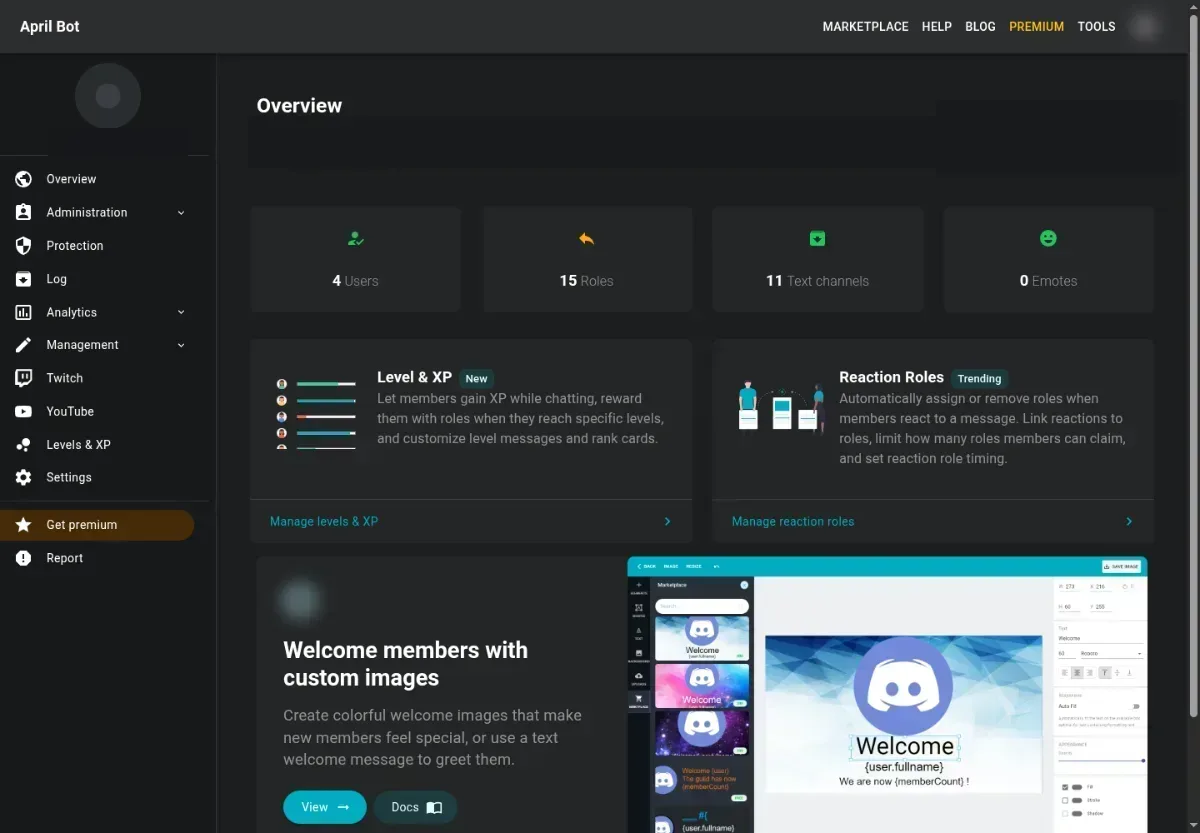
The dashboard is split into user tools and server tools.
User tools
Section titled “User tools”Use the user sidebar for account-wide features:
- Images and projects
- Rank card selection
- Marketplace product management
- Credits and transactions
- Billing
Open these pages when the change follows your April account across servers.
Server tools
Section titled “Server tools”After selecting a server, use the server sidebar for guild-specific configuration:
- Administration features such as welcome, leaver, autorole, self role, custom commands, reaction roles, and embeds
- Protection and moderation logs
- Server analytics
- Twitch and YouTube stream monitors
- Levels & XP
- Settings, Premium, and reports
Open these pages when the change should affect only the selected Discord server.
Save behavior
Section titled “Save behavior”Most pages save from a form or action button. If a save fails, the dashboard shows a user-safe error.
Before retrying, check:
- Required fields such as channel, role, message, or name.
- Whether April can view and send messages in the selected channel.
- Whether April’s role is above the role it needs to assign, remove, or moderate.
- Whether your own Discord account has permission to manage the server feature.