Change prefix
The prefix is used by message-based custom commands. Discord slash commands use / and do not need this prefix. You must own the server or have Manage Server to open its settings.
Set a prefix
Section titled “Set a prefix”- Log in and select the server.
- Open Settings in the server sidebar.
- Edit the Command prefix row to a value of one to three characters. The save controls appear when the value changes.
- Save the row and check the displayed value after reopening or refreshing settings.
- Test a configured custom command in Discord with the new prefix, for example
?helloif the prefix is?and the command ishello.
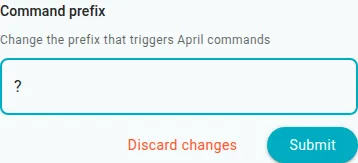
In the narrow dashboard layout, the changed row offers controls to discard or submit the edit.
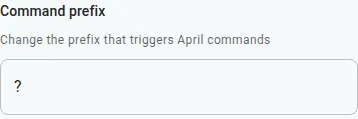
The submitted value shown in the narrow layout after reloading the local settings page.
Choose a short prefix that does not conflict with another bot. Check the value shown in your server’s settings rather than assuming a universal default. A saved value does not by itself prove that April responded to a command in Discord.
If the controls do not appear, change the existing value first. If validation or saving fails, check the one-to-three-character limit and your server access, then retry. If the command does not respond, confirm the command exists and is enabled and that April can access the channel; see Common errors.