Credits
Use your April credit balance for account features such as marketplace purchases. Sign in with the Discord account whose balance you want to use, then open Credits from the user navigation.
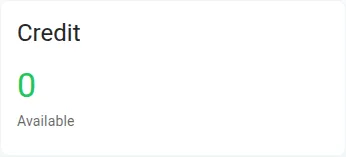
Local test account example, 2026-11-01, before claiming a reward.
Claim a daily reward
Section titled “Claim a daily reward”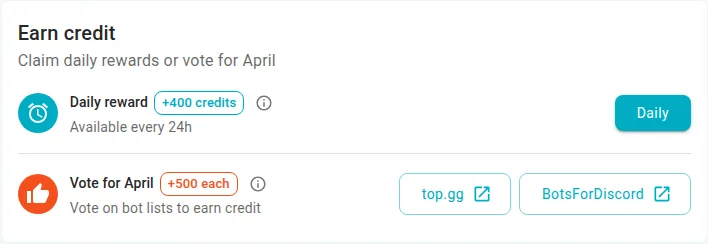
Local test account example, 2026-11-01: the daily reward is available before a claim.
- On Credits, find Earn credit and check the daily reward and availability shown there.
- In Daily reward, select Daily when available.
- Check the updated balance and Recent activity. The streak calendar shows claimed, missed, current and future days.
For example, after a successful claim, look for the new credit entry in Recent activity. Select View all to inspect Transactions if you need the full history. The daily reward increases with consecutive claims on a seven-day repeating cycle; missing a UTC day resets the streak. The dashboard shows the current reward and streak rather than requiring you to calculate them.
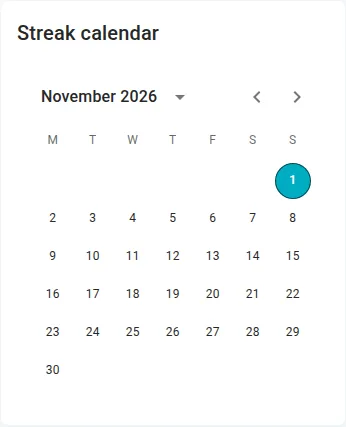
Local test account example, November 2026, before a daily claim.
Although the interface describes a 24-hour frequency, eligibility is based on the UTC calendar day, not 24 hours after your last claim. If the action is disabled, check the displayed availability and try after the next UTC day begins. If a claim fails, refresh and check the balance and activity before retrying; a repeated claim on the same UTC day cannot earn another daily reward.
Vote and follow milestones
Section titled “Vote and follow milestones”Under Vote for April, choose a listed bot-list provider and follow its instructions. Votes happen on an external site; April awards credit when it receives an accepted provider callback. Returning to the dashboard alone does not confirm a reward. Check Recent activity and the vote progress on the reward panel. If the reward has not arrived after 5–10 minutes, contact support with the provider and approximate vote time.
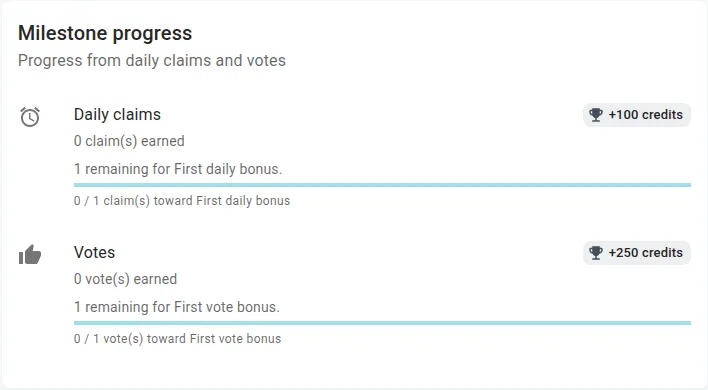
Local test account example, 2026-11-01, before a claim or vote.
The reward panel shows progress and completed milestones for daily claims and votes. For example, a track can show how many votes remain until its next milestone. Values and available rewards are shown on the dashboard; an empty or unavailable panel is not proof that a reward was granted. Refresh, then contact support if progress remains unexpected.
Buy credits
Section titled “Buy credits”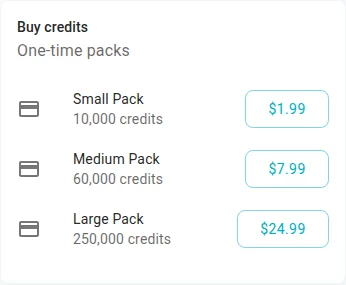
Local test example, 2026-11-01, before checkout. Offers and prices can change; check the current checkout.
When Buy credits offers packs, compare their displayed amounts and prices, choose one and complete the hosted checkout. Pack availability, amounts and prices can change; confirm the details on the checkout before paying. A successful hosted checkout prompts server verification; returning to April does not by itself prove that credits were added. Check the balance and Transactions. If the pack list is empty or checkout cannot open, refresh and try later; do not repeatedly purchase to compensate for a missing balance. See Billing for payment recovery.